
Download a permitted torrent from your iPhone browser
If you have a torrent from an authorised publisher, your iPhone can be the control panel rather than the torrent client. A cloud service downloads the data on servers. You then stream a compatible file or save a copy through your browser.
This guide covers that browser method. It does not supply content sources or explain how to obtain copyrighted material without permission.
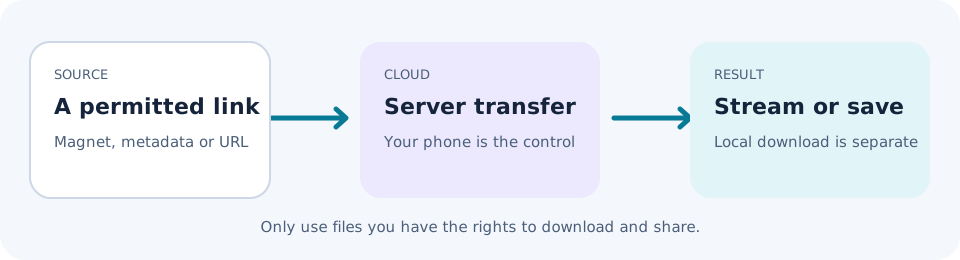
Have these ready
You need Safari or Chrome, an iPhoneTorrent account, enough cloud storage and a magnet link or .torrent file for content you are entitled to download. An open-source project's official release is one possible lawful use. Check the licence and available size before starting.
1. Copy the reference from the publisher
Copy the complete magnet link from the publisher's own release page, or save the .torrent metadata file where you can select it. A magnet reference is not the final download. Do not paste a shortened or broken fragment, and do not copy a private tracker passkey into a support request.
2. Add it in your account
Open iPhoneTorrent in your browser and sign in. Use the source input to paste the magnet reference or select the .torrent file. The service also accepts info hashes and HTTP(S) links. Choose the format you actually have rather than renaming a file to make it look like a torrent.
3. Check the file list and capacity
Where metadata is available, review the file names and sizes. Your account needs room for the result. Free has 1GB, Pro has 100GB and Ultra has 300GB. Do not assume a small .torrent file means the download it describes is small.
4. Let the server transfer run
The cloud service connects to the torrent swarm. You do not need to keep an on-device client running. Return to your account to check progress. No reachable seeders can mean no progress, even if the link is correct.
The service's approximately 20Gb/s server bandwidth is not your download speed guarantee. Transferring the completed file from the service to your phone is another step on your own connection.
5. Save or play the completed result
For a local copy, use the completed file's download control. Check the browser's download list and the Files app. Depending on your settings, Downloads may be in iCloud Drive or On My iPhone. Interface labels can vary with the browser and iOS version.
For compatible media, open the file and check the share sheet for Save Image or Save Video. If that action is absent, keep the file in Files rather than assuming Photos can import it. The built-in player can play supported video, not every codec or container.
Why not install an on-device client?
Some people choose sideloaded clients instead. Availability, installation rules and maintenance vary by region and device setup. A client also has to operate within iOS background limits. The browser method avoids that installation step by changing where the torrent runs, not by modifying your phone.
If the result is not what you expected
Stop before opening an unexpected file. Compare the name, size and type with the publisher's description. A torrent's integrity checks do not prove that its contents are safe or that its publisher is genuine. Consult the safety guide if anything looks wrong.